
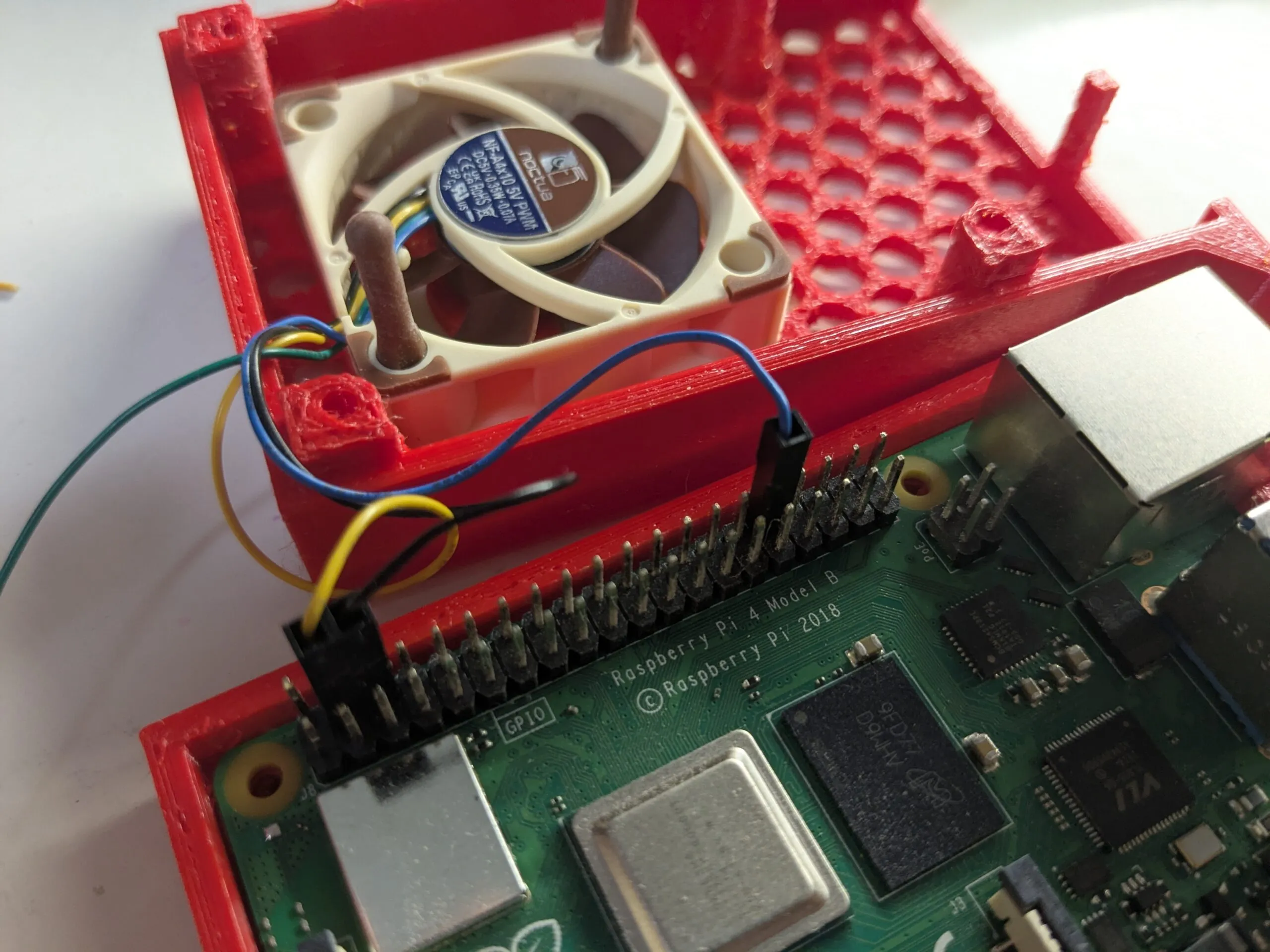
Raspberry Pi – Noctua PWM Setup
How to set up a Noctua 4 pin PWM fan on a Raspberry Pi 4 running Raspberry OS or Homeassistant.
Noctua PWM (4 pin) 5V fan for cooling.
Open terminal then open the config file with nano:
sudo nano /boot/firmware/config.txtPWM settings
dtoverlay=pwm-gpio-fan,fan_gpio=12,pwm_freq=25000

dtparam=fan_temp0=48000,fan_temp0_hyst=2000,fan_temp0_speed=0
dtparam=fan_temp1=54000,fan_temp1_hyst=3000,fan_temp1_speed=60
dtparam=fan_temp2=60000,fan_temp2_hyst=3000,fan_temp2_speed=120
dtparam=fan_temp3=65000,fan_temp3_hyst=4000,fan_temp3_speed=180
dtparam=fan_temp4=70000,fan_temp4_hyst=5000,fan_temp4_speed=255
Explanation:
Line 1 (dtoverlay): Activates smart variable fan control (PWM) using physical GPIO pin 12.
Stage 0 (40°C): Fan stays completely off until the Pi warms up to 40°C.
Stage 1 (50°C): Fan kicks on quietly at 39% speed once the Pi reaches 50°C.
Stage 2 (60°C): Fan speeds up to 59% speed at 60°C for medium cooling.
Stage 3 (68°C): Fan blasts at 100% full speed (255) at 68°C to prevent overheating.
Homeassistant specific settings
The same code can be used for homeasssistant with a slight difficulty. Home Assistant locks the boot drive so we can’t access it from Home Assistant itself. The sd card needs to be taken out and mounted into a folder in a linux system. Then we can add the required code into the same .config file.
Insert the sd card containing homeassistant into the linux machine.
Open terminal and issue:
lsblkLet’s assume the 32MB drive is sdb1:
sudo mkedir -p /mnt/ha_boot
sudo mount /dev/sdb1 /mnt/ha_boot
sudo nano /mnt/ha_boot/config.txt
Add the following lines to the end of config.txt file.
dtoverlay=pwm-gpio-fan,fan_gpio=12,pwm_freq=25000

dtparam=fan_temp0=48000,fan_temp0_hyst=2000,fan_temp0_speed=0
dtparam=fan_temp1=54000,fan_temp1_hyst=3000,fan_temp1_speed=60
dtparam=fan_temp2=60000,fan_temp2_hyst=3000,fan_temp2_speed=120
dtparam=fan_temp3=65000,fan_temp3_hyst=4000,fan_temp3_speed=180
dtparam=fan_temp4=70000,fan_temp4_hyst=5000,fan_temp4_speed=255
Save and exit then umount or just unmount the drives through the ux.
sudo umount -a